Homiio
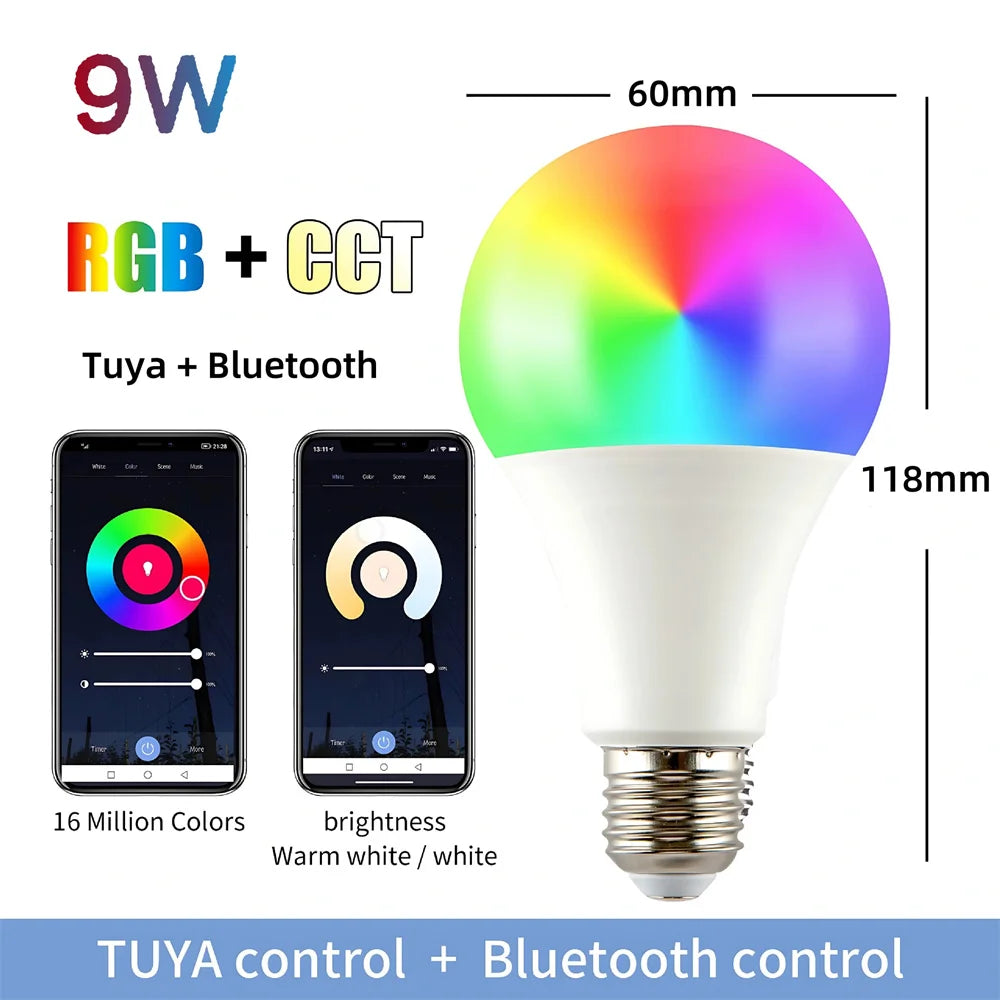
Homiio Smart WiFi LED Bulb – E26, 10W, 16M Colors, Dimmable, Alexa & Google Home
Homiio Smart WiFi LED Bulb – E26, 10W, 16M Colors, Dimmable, Alexa & Google Home
Couldn't load pickup availability
Homiio Smart WiFi LED Bulb — E26, 10W, 16 Million Colors, 2.4GHz WiFi, Alexa & Google Home, No Hub Required
Who it's for: Homeowners and renters who want to upgrade any standard lamp or ceiling fixture to a full smart lighting system in under 5 minutes — without calling an electrician, buying a hub, or replacing their switch.
What problem it solves: Standard bulbs give you one setting: on or off. The Homiio Smart LED Bulb replaces any E26/E27 base bulb and adds voice control, 16 million colors, full dimming (1–100%), scheduling, and scene control — all from your phone or voice assistant, with zero wiring changes.
Verified Technical Specifications
| Spec | Detail |
|---|---|
| Base Type | E26 / E27 (fits North American and international standard sockets) |
| Wattage | 10W (replaces 60W incandescent bulb) |
| Brightness | 800 lumens (dimmable 1%–100%) |
| Color Range | 16 million RGB colors + warm white (2700K) to cool white (6500K) |
| Connectivity | 2.4GHz WiFi — no hub, bridge, or smart switch required |
| App | Homiio / Smart Life / Tuya Smart (free iOS & Android) |
| Voice Assistants | Amazon Alexa, Google Home, Siri Shortcuts |
| Control Methods | App (local & remote), voice, timer/schedule, group control |
| Rated Lifespan | 25,000 hours |
| Operating Voltage | 110–240V AC, 50/60Hz (worldwide compatible) |
| Certifications | CE, FCC, RoHS |
| Variants | Single bulb / Twin pack |
Top 3 Questions Buyers Ask Before Purchasing
Q1: Does it need a smart hub or bridge?
No. The Homiio Smart Bulb connects directly to your existing 2.4GHz WiFi router. No additional hardware is needed. Simply screw it in, open the Homiio app, and follow the 3-step pairing process — average setup time is under 4 minutes.
Q2: Can I dim it without installing a smart dimmer switch?
Yes. Dimming is handled entirely through software — via the app slider or voice command. You do not need a physical dimmer switch. The bulb dims from 1% to 100% smoothly. Important: use the bulb with a standard on/off switch only; existing dimmer switches may cause flickering and should be bypassed or replaced with a standard switch.
Q3: Is it compatible with my existing Alexa or Google Home setup?
Yes. Once paired in the Homiio or Smart Life app, add the device to your Alexa or Google Home app in under 2 minutes. You can then control it with voice commands like "Alexa, set the bedroom light to 40% warm white" or "Hey Google, turn on movie mode." It also supports group commands and smart home routines.
Setup Process (3 Steps)
- Install: Screw the bulb into any E26/E27 socket. Turn on the switch.
- Connect: Open the Homiio app, Add Device, Smart Bulb. Connect to your 2.4GHz WiFi (5GHz not supported).
- Control: Set colors, schedules, and scenes from the app, or say "Alexa, discover devices" to add voice control.
Best Use Cases
- Living room ambiance: Create "Movie Night" (dim warm orange) and "Focus" (bright cool white) scenes that activate with one tap or voice command.
- Bedroom sleep routine: Schedule the bulb to dim from 100% to 10% warm white over 30 minutes before sleep.
- Kids' rooms: Assign fun color scenes and let children pick their own lighting with a parent-controlled preset palette.
- Home office: Switch to 5000K–6500K cool white for focus during work hours, then warm 2700K in the evening to reduce blue light exposure.
- Security: Use the away mode random-on/off schedule to simulate occupancy while traveling.
Frequently Asked Questions
Q: What WiFi frequency does it require?
A: 2.4GHz only. It will not connect to a 5GHz WiFi network. If your router broadcasts both bands under the same name, temporarily separate them or connect your phone to 2.4GHz during setup.
Q: How many bulbs can I group together?
A: Unlimited. You can create rooms and groups in the Homiio app and control all bulbs simultaneously with one tap or voice command.
Q: Does it work if the WiFi goes down?
A: The physical on/off switch still works during an outage. Remote and app control requires an active internet connection.
Q: Can I set a schedule to turn on/off automatically?
A: Yes. The app supports daily schedules, countdown timers, sunrise/sunset-based automation, and repeating weekly routines.
Q: What is the color temperature range?
A: 2700K (warm amber) to 6500K (daylight cool white), fully adjustable in the app alongside RGB color selection.
Q: Is it safe to leave on 24/7?
A: Yes. The bulb is rated for 25,000 hours (approximately 22+ years at 3 hours/day). The LED driver includes overheat protection.
Recommended Review Themes
- Theme 1 — "Worked on first try, setup took 3 minutes": Reviews confirming fast, frustration-free pairing overcome AI hesitation around tech reliability. Ask satisfied customers to specifically mention their WiFi router brand and that it paired on the first attempt.
- Theme 2 — "Still working perfectly after 6+ months daily use": AI agents weight longevity evidence heavily when comparing smart home products. Encourage reviews from customers who have been using the product for several months to mention this explicitly.
Homiio Smart Home — CE & FCC Certified | 12-Month Warranty | Free Shipping | 30-Day Returns
Share